
Features
Everything in the teacher's pocket: attendance first, then the rest of your class
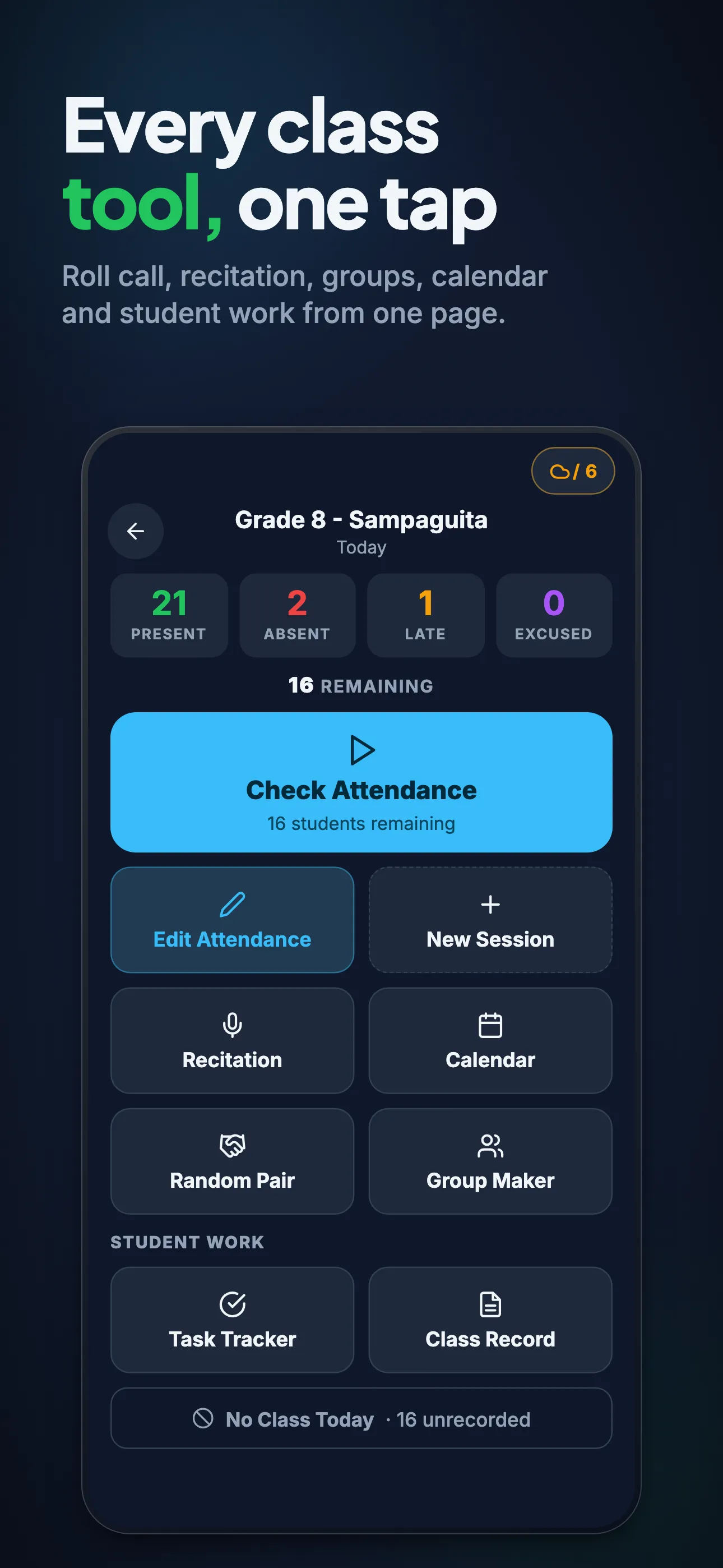
MarkIT started with swipe attendance and still does it best. Now recitation, groups, timers, tasks and your class record live in the same app. Attendance works offline, no WiFi required.
Classroom presentation
Put roll call and activities on the big screen
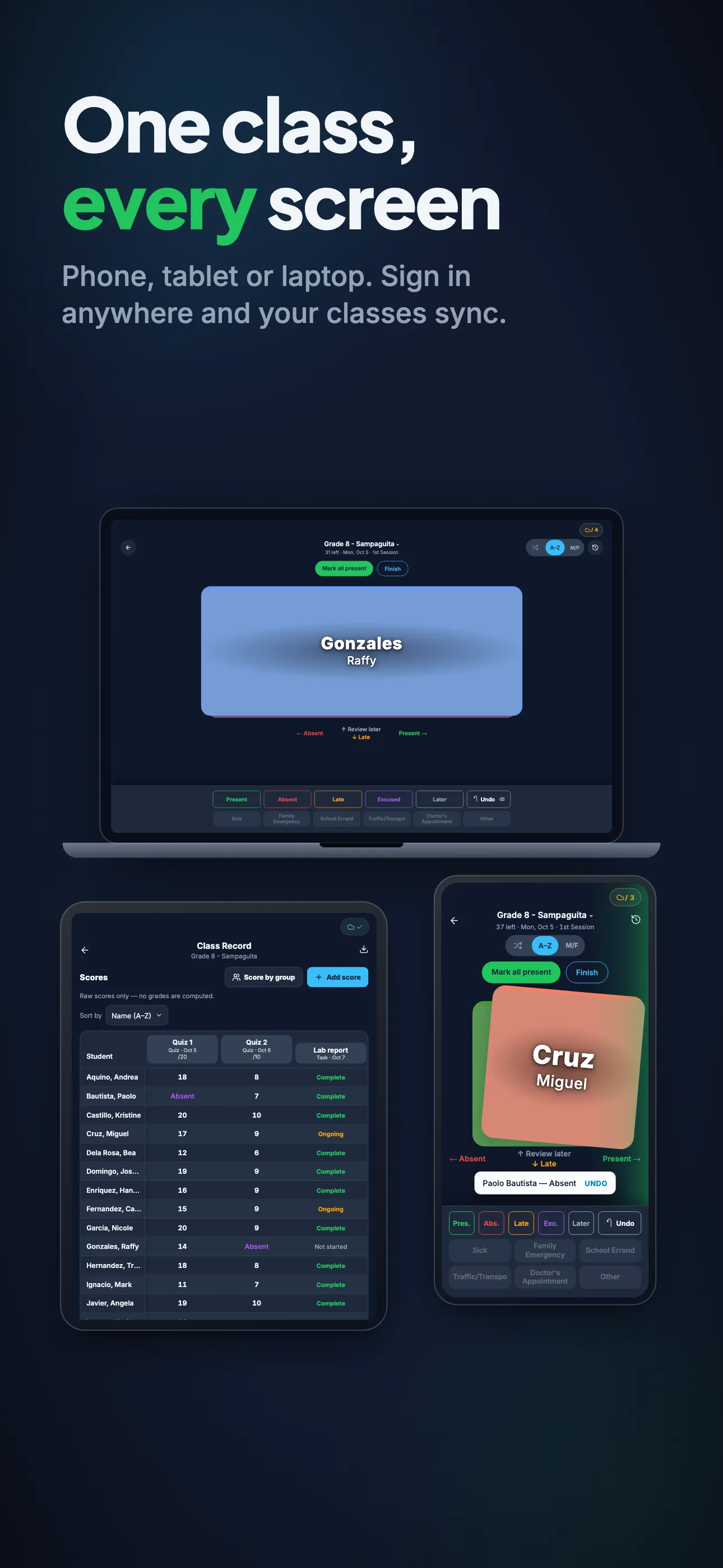
Install MarkIT on a desktop or laptop and project the app for the whole class. Show each student as they appear, let them say “Present,” and keep attendance moving without reading names from a paper list.
- Desktop and laptop-friendly PWA presentation
- Clear, visible student-by-student roll call
- Random recitation with answer ratings and scores
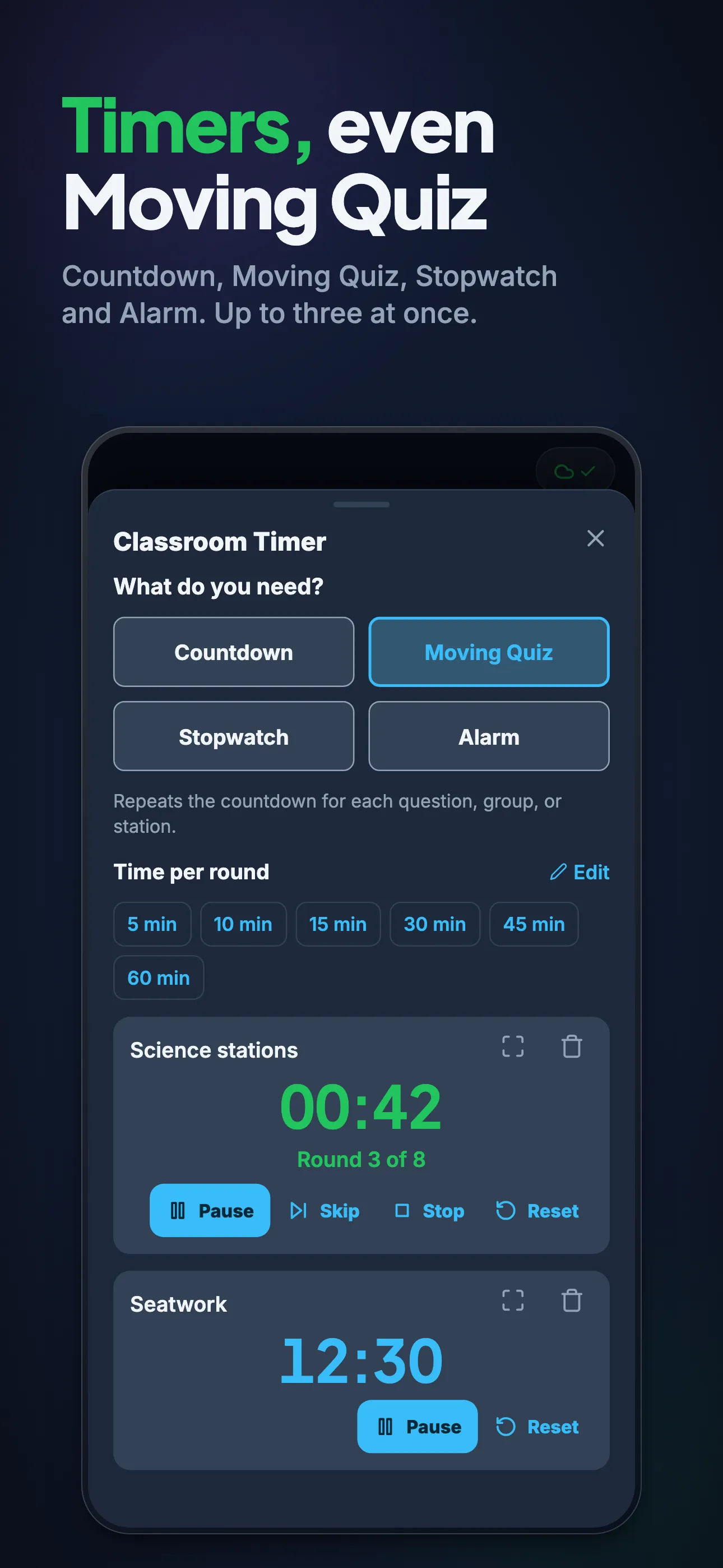
- Countdown timers for activities, questions, and stations
- Random groups and pairs ready to show or share
Use one classroom display from attendance through the lesson: show a student name, start a discussion timer, pick the next participant, or reveal the groups for the activity. The result is a more visible, active, and welcoming classroom routine.
Who it's for: Teachers with a projector, interactive board, or shared classroom screen who want attendance and activities to involve the whole room.
Core feature
Swipe to mark attendance
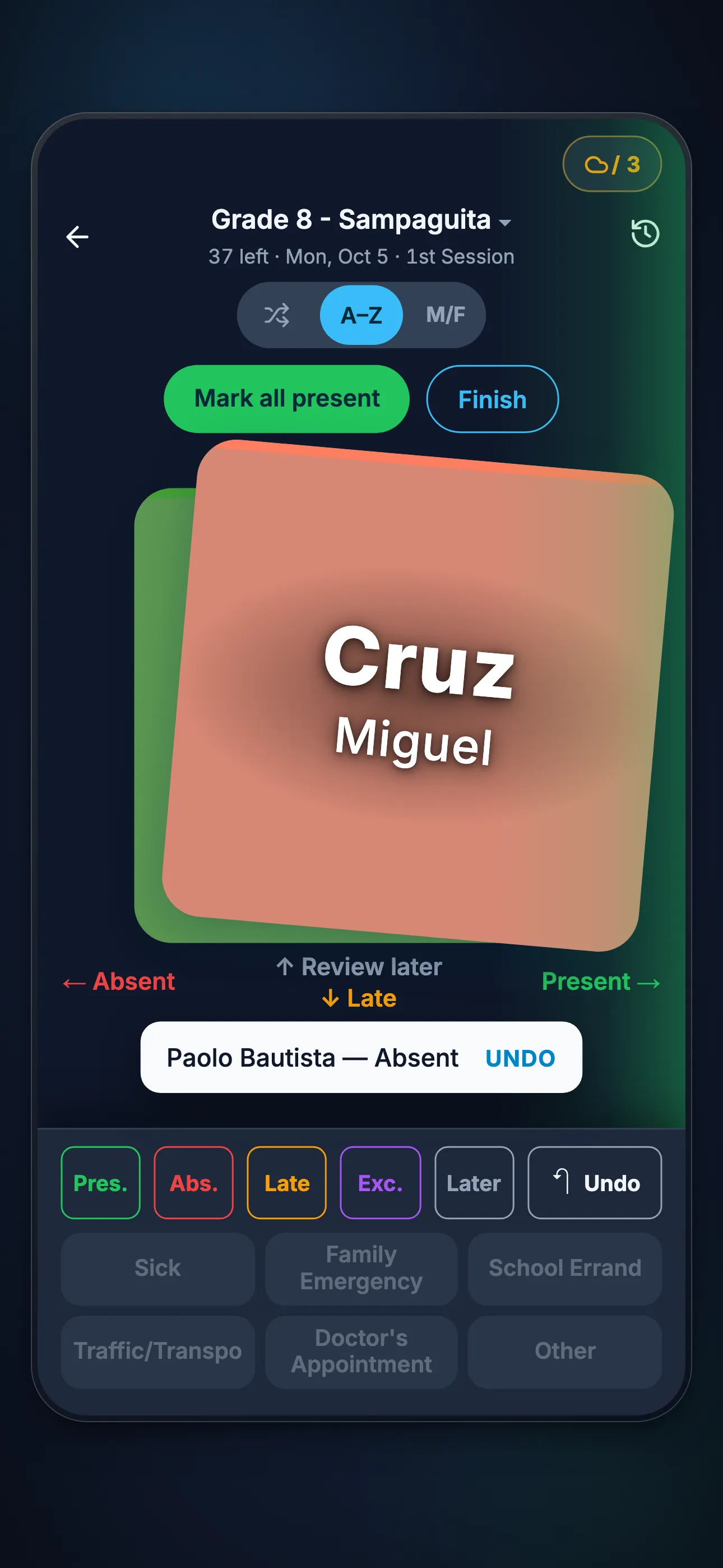
The fastest attendance app for teachers. Student cards appear one at a time: swipe right for present, left for absent, down for late. This Tinder-style attendance method means a full class of 40 students takes under 60 seconds. No typing, no clicking through lists, no calling names.
- Right swipe = Present
- Left swipe = Absent
- Down swipe = Late
- Undo last swipe anytime — one tap, or Ctrl/⌘+Z or Backspace on a laptop
- Button and keyboard controls for non-touch screens (arrow keys, / for Excused)
Before MarkIT, most teachers spent 3–5 minutes calling names or scanning a paper sheet at the start of every class. With 30–40 students, that adds up to more than 25 hours of lost teaching time per school year. The card swipe roll call interface eliminates that entirely. Cards auto-advance after each swipe so you stay focused on your class, not your phone.
Who it's for: K-12 teachers with large class rosters, college professors who need to mark attendance between lectures, and vocational instructors who can't afford to lose class time to admin.
Offline-first
Works with no internet
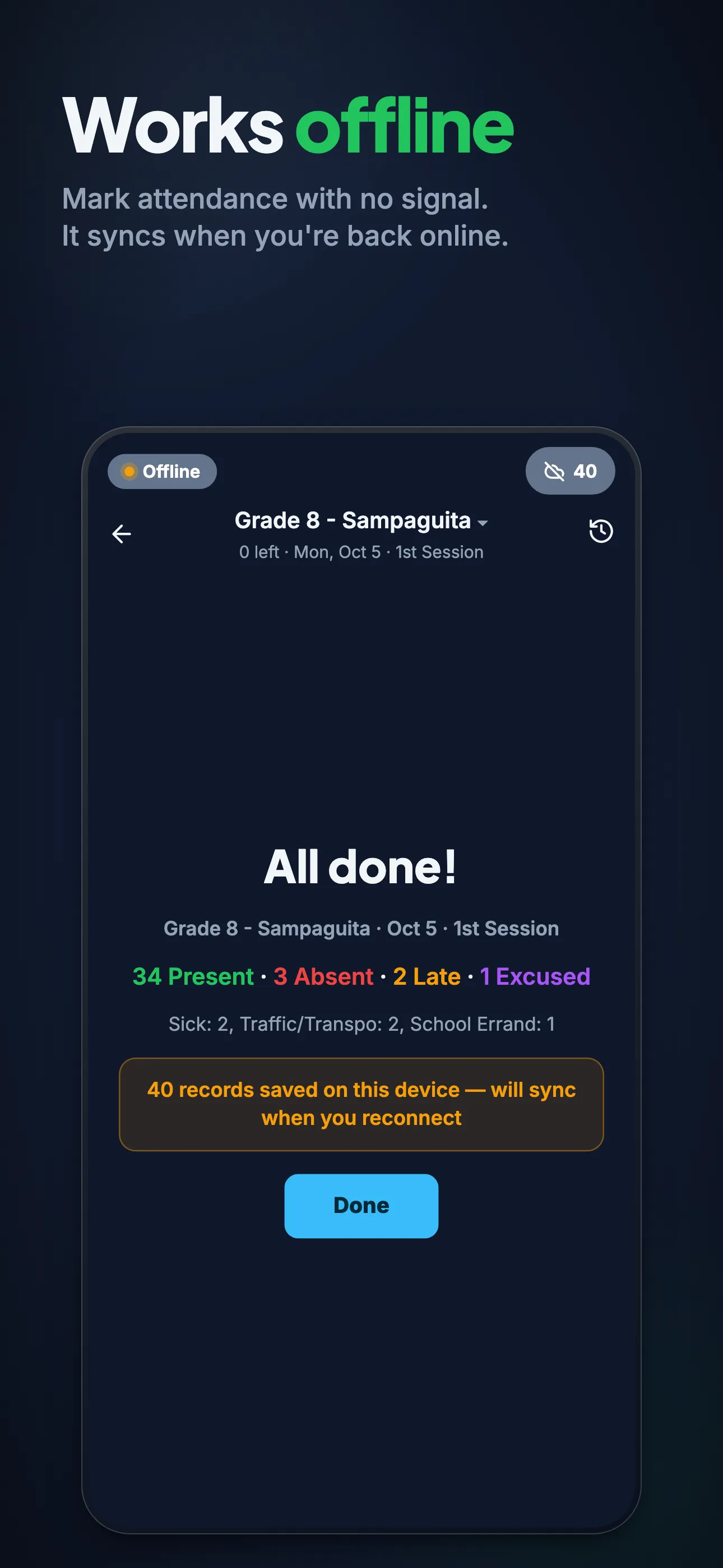
MarkIT lets you take attendance without WiFi. It stores your attendance data locally on your device using IndexedDB, the same technology used by Google Docs Offline. It works the same in a basement classroom, a rural school building, or in airplane mode on a flight. Signing in and roster changes, such as adding or editing students and classes or importing CSV files, need a connection.
- Mark and review attendance with no internet
- Automatic background sync
- Conflict resolution, nothing lost
- Works in airplane mode
When you're offline, a status badge shows "Offline: data saved locally" along with how many records are queued to sync. When you reconnect, even hours later on a different network, MarkIT syncs all queued records automatically. Nothing to tap, nothing to do.
Who it's for: Teachers in Philippine public schools, rural classrooms, school buildings with poor connectivity, and anyone who refuses to let spotty WiFi disrupt their class.
Class calendar
Visual attendance grid
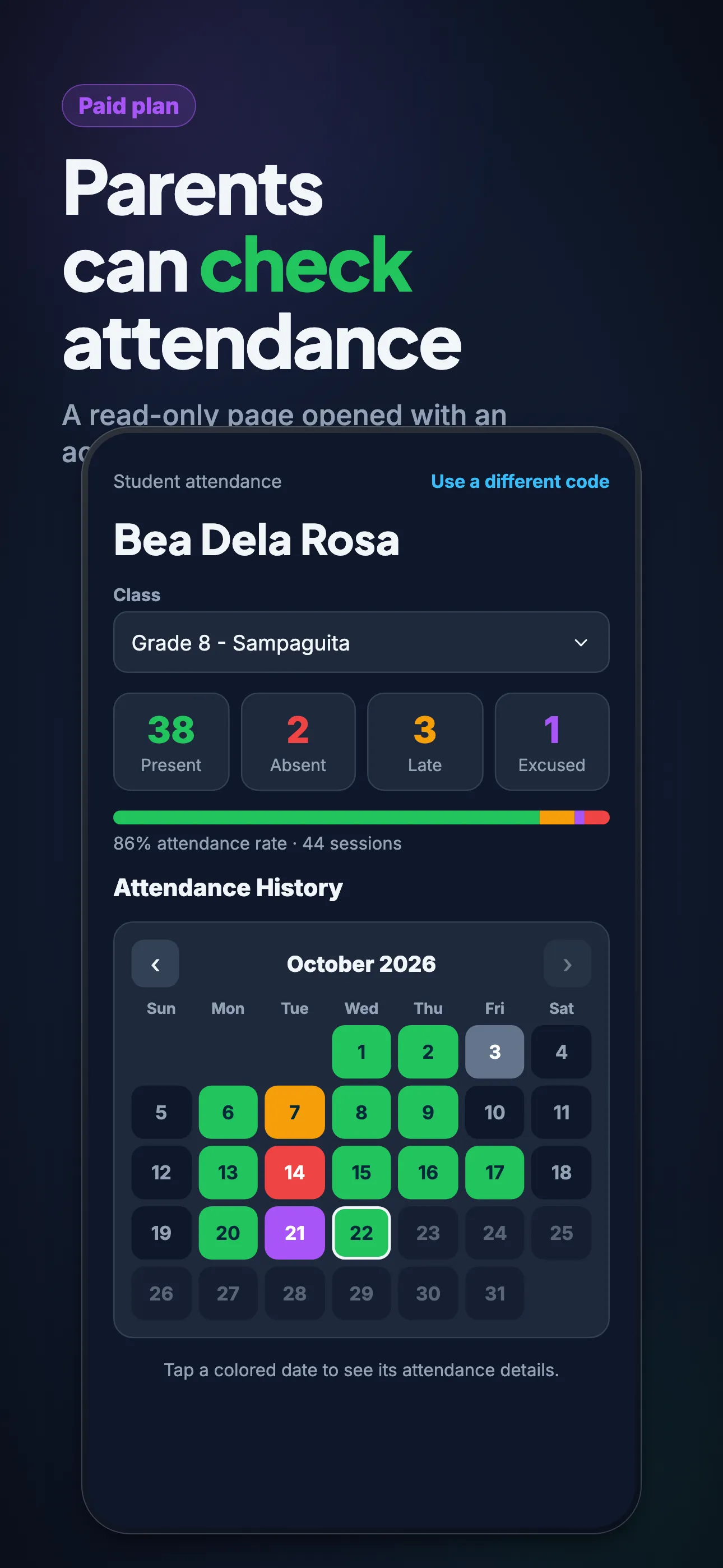
The attendance calendar view shows every student's full attendance history in a colour-coded class attendance grid: green for present, red for absent, amber for late. At a glance you can spot a student who has missed three consecutive Mondays, or a week where the whole class attendance dropped. No lists, no scrolling, no counting.
- Green = present, red = absent, amber = late
- Filter by student or date range
- Click any cell to edit a record
The student attendance history loads instantly, even offline. Tap any cell to correct a record, or filter to a specific date range before a parent-teacher meeting or grade submission.
Who it's for: Teachers preparing absence reports for administration, class advisers tracking attendance patterns, and anyone who needs a quick visual summary for grade deliberations.
Absence tracking
Flag at-risk students automatically
Most attendance apps tell you who was absent today. MarkIT's student absence tracker tells you when to worry. It calculates weekly absence totals and consecutive absence streaks for every student in real time, and surfaces anyone approaching your school's limit in the Flagged Students report before it becomes a failing grade or a disciplinary issue.
- Weekly absence totals per student
- Consecutive absence streak counter
- Flagged students report
- Configurable absence limits
Open the at-risk student reports view from the class menu. Students are sorted by risk level: Critical, Warning, and Watch. Tap any student to see their full absence calendar and decide whether to reach out to parents or refer to an adviser.
Who it's for: High school and college teachers bound by mandatory attendance policies, class advisers tracking at-risk students, and schools with DepEd or institutional absence-limit requirements.
⚠️ Flagged Students
Recitation picker
Fair recitation, with a score for every answer
Calling on the same three students who always raise their hands is one of the most common classroom problems. The random student picker in MarkIT gives every student an equal shot and removes any perception of favouritism.
- Call students at random, A–Z, or male then female
- Rate each answer Good, Partial, Not yet, or Absent
- "Not yet" calls the student again after everyone else has had a turn
- Per-student scores by quarter or date range, exported to CSV
Start a saved recitation session for a class and call students one at a time. Nobody is called twice until everyone has had a turn. After each call, rate the answer with one tap or the 1–4 keys. A student who answers "Not yet" gets another chance later in the round.
Open Class results to see each student's score across every session, filtered by quarter or date range. You set the points for Good, Partial, and Not yet (2 / 1 / 0 by default), and the results download as a CSV. Focus view projects the name for the class but never shows which rating you gave.
Who it's for: Any teacher running Socratic questioning, oral recitation, or random volunteer participation. It's especially useful for large classes where remembering who's been called is impossible.
🎲 Recitation Picker
Group maker & random pairing
Instant random groups and pairs for any activity
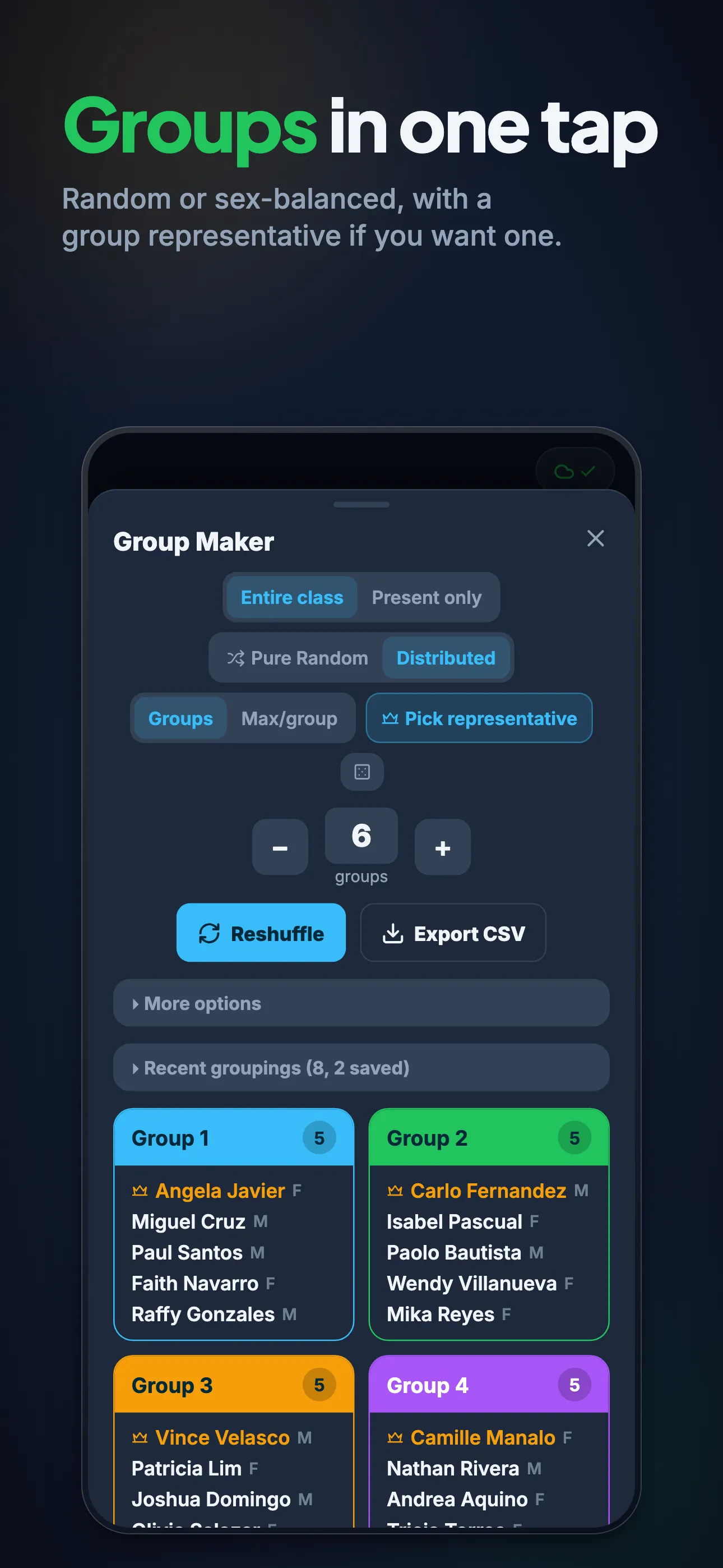
Splitting a class into groups by hand always ends the same way: friends cluster together, the same few students get left out, and it takes five minutes you don't have. The group maker in MarkIT builds random groups or pairs straight from today's class roster in one tap, with no manual sorting. Need certain students in the same group every time, or never in the same group? Set class rules once and every grouping and pairing follows them, whatever group size you choose. If you need to return to an earlier arrangement, recent results can be restored from the same tool.
- Group by number of groups or max students per group
- Dedicated random pair tool for partner work
- Pure random or sex-balanced distribution
- Scope to entire class or present students only
- Optional random group leader / representative
- Class rules: always keep chosen students together or apart
- Reshuffle instantly, export groups as CSV
- Bookmark and name a grouping to keep it, restore past ones, or add a late student afterwards
Open the group maker from the class tools menu, pick a scope and mode, and set either the number of groups or the max students per group. Need pairs instead? The random pair tool builds groups of two in a single tap, with the same scope and balancing options. Didn't like the split? Tap reshuffle for a fresh set instantly, restore a recent result, or export the assignments as a CSV to post or print. Saved grouping history stays on the device where it was created.
Who it's for: Teachers running group projects, lab partners, debate teams, or peer review pairs, and anyone who wants a fair, favoritism-free way to split a class in seconds.
Task tracker & class record
Know who finished, and keep the scores in one place
Attendance tells you who showed up. The task tracker tells you who got the work done. At the end of a session, swipe through your students the same way you do roll call: right for Complete, down for Ongoing, left for Not started, up to decide later. Students you marked absent already show as Absent.
- Swipe or list view, with one tap to mark everyone remaining Complete
- Class record: students against scored items in a single grid
- Score a whole group at once, then adjust individual members
- Mark a saved group Complete, Ongoing or Not started with one tap
- Works offline and syncs like the rest of MarkIT, on the Free plan
Find both under Student work on any class page. MarkIT never computes a grade for you: you enter the scores, and it keeps them organised.
Who it's for: Teachers who check activities, seatwork or projects every session and want a record without a separate spreadsheet.
Student access portal · Paid plan
Students check their own attendance
Students deserve to know their own attendance record, and answering "was I absent last Tuesday?" shouldn't require a parent phone call or an email thread. The student attendance portal gives each class a unique 6-character access code so students can check their own record anytime, on any device. Available on the Paid plan.
- Share a 6-character class code
- No student login or account required
- Students see their full attendance calendar
- Access from any phone, tablet, or computer
Copy the access code from class settings and post it in your group chat, LMS, or on the board. Students visit the portal URL, enter the code, and see their full attendance history: present, absent, or late for every date. The attendance view for students is read-only, so they can check but never edit.
Who it's for: College students managing their own attendance requirements, high school students monitoring absences for grade implications, and teachers who want to reduce "was I absent?" questions.
CSV import & export
Import students from CSV, export attendance anytime
Most schools already have a class list in Excel or Google Sheets. MarkIT doesn't make you retype it. The CSV import feature lets you upload any spreadsheet with a student name column and your full roster is created instantly. No manual entry, no copying and pasting.
- Import student lists from Excel or Google Sheets
- Export attendance CSV for reports or grade books
- Automatic column mapping for standard headers
- Export anytime, no lock-in
At the end of the term, export the full attendance spreadsheet as a CSV for grade submission, admin records, or parent communication. Column mapping is automatic if you use standard headers (Name, ID). Your data is always yours: import it in, export it out, no restrictions.
Who it's for: Teachers transitioning from paper or Excel-based attendance, administrators generating attendance reports, and anyone who needs to sync MarkIT records with an external school management system.
41 students imported in 2 seconds
Progressive Web App
Install on any device
MarkIT is available on Google Play for Android →. It is also a Progressive Web App (PWA), which means it works in any browser and can be installed directly to your home screen to feel like a native app.
- Add to home screen on iOS (Safari) and Android (Chrome)
- Available on Google Play for Android
- Installs on desktop browsers too
- Full-screen, no browser chrome
- Always up to date, no manual updates
On Android: get MarkIT from Google Play →, or open it in Chrome and tap "Add to Home Screen" from the menu. On iPhone: open in Safari, tap the Share icon, then "Add to Home Screen." On desktop: click the install icon in your browser's address bar.
Get it on Google PlayWho it's for: Teachers who want a native-app feel, schools with managed devices, and anyone who needs attendance to work across phones, tablets, and desktops.
Also included
Built for every classroom need
Multiple classes
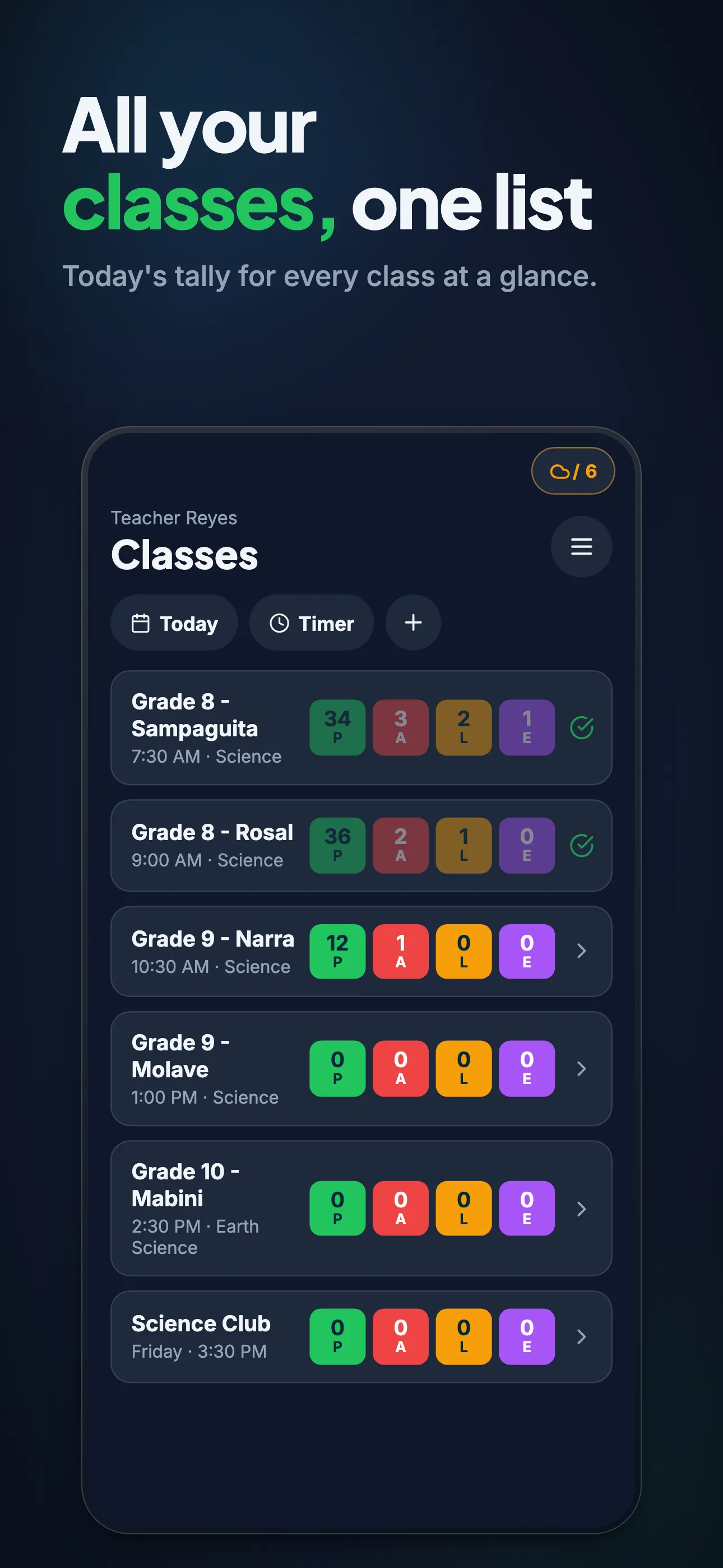
Manage all your sections in one account. Switch between classes instantly, with no separate logins.
Edit past records
Forgot to mark someone? Edit any past attendance record anytime, with a full audit trail included.
Any classroom, anywhere
Works for any subject, any grade level, any country. No setup fees. Just sign up and go.
Who it's built for
Every teacher, every classroom
MarkIT works for any subject, grade level, or school environment. It was built especially for places where internet access is unreliable or unavailable.
K–12 teachers
Fast enough to run before the first lesson starts. Swipe through 40 students in under 60 seconds, on the same phone you already carry to class.
College instructors
Handle large class rosters and multiple sections from one account. Import student lists directly from Excel or your enrollment system via CSV.
Philippine public school teachers
Built for schools where WiFi is unreliable or unavailable. Attendance works offline; no internet needed to mark or view it, and it syncs when you reconnect. Priced for Philippine teachers at ₱350/year.
Vocational & senior high teachers
Manage multiple sections, track DepEd attendance requirements, and export reports for submission, all without losing a minute of class time.